
Manual Stitches
Run stitches versus fills
The two families of stitches in Lilo, when to pick each, and how Style switches between them.
Every shape you draw is sewn one of two ways.
- A run follows a line. Think of drawing with a pen. It can be a thin single line, a thick satin ribbon or a twisted rope.
- A fill covers an area. Think of colouring in with a marker.
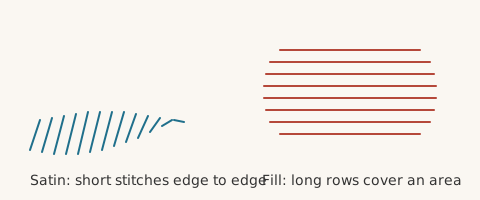
Which one should I use?#
| You want | Use |
|---|---|
| A thin outline or a stem | Run, Single or Triple |
| A bold border or a letter stroke | Run, Satin |
| A big area like a leaf or a badge face | Fill |
| A textured area like a brick wall | Fill with a motif pattern |
Switching a shape#
A closed shape can be either. In the left panel, Style has two buttons: Filled sews the whole area, Outlined sews only the edge using any run type. The shape bar's Outline and Fill button does the same.
What is the difference in sewing?#
A run is quick and light. A fill is slower and uses many more stitches. A fill of a 40 by 30 mm area can take thousands of stitches. A satin column of the same length uses far fewer.
Which settings go with which?#
- Runs have a run type. Read Run types.
- Satin runs and satin blocks have density, pull compensation and underlay. Read Satin tips.
- Fills have a pattern, row spacing and their own underlay. Read All fill patterns and Underlay and pull compensation.